Managing contract access for user groups
You can manage access to all your company's contracts with the use of user groups. 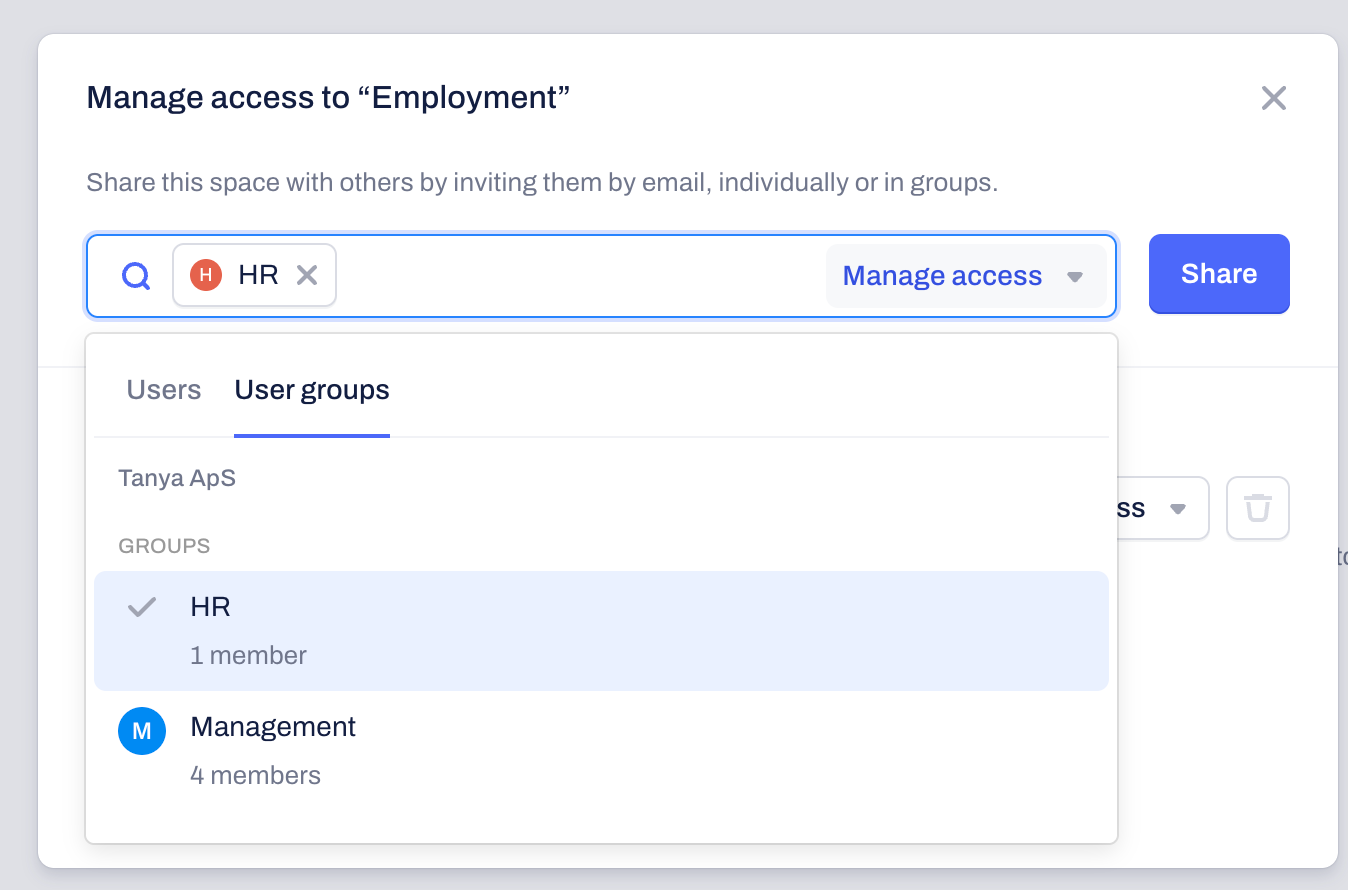
- Open a space: Navigate to the Spaces tab and select the specific Space you want to share with any of your existing user groups.
- Manage access: Click on the Manage Access button.
- Add the user group: Instead of typing individual names, click on the User groups tab. Choose the group that needs access to the space from the available company groups.
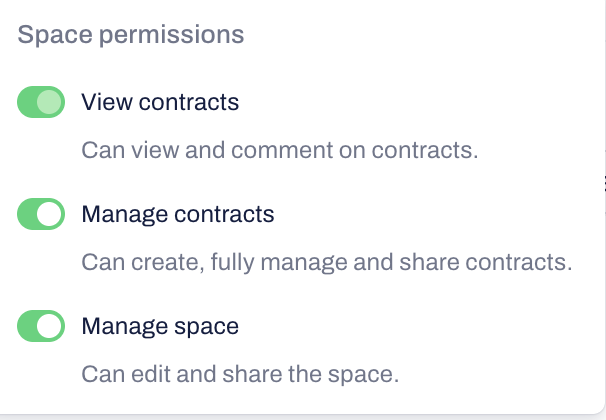
Access types in contract spaces
View contracts: Can view and add comments to contracts.
Manage contracts: Can create, fully manage, and share contracts.
Manage space: Can edit and share the Contract space.
Access types in template spaces
When you manage access to template spaces, you can assign user groups with the following rights: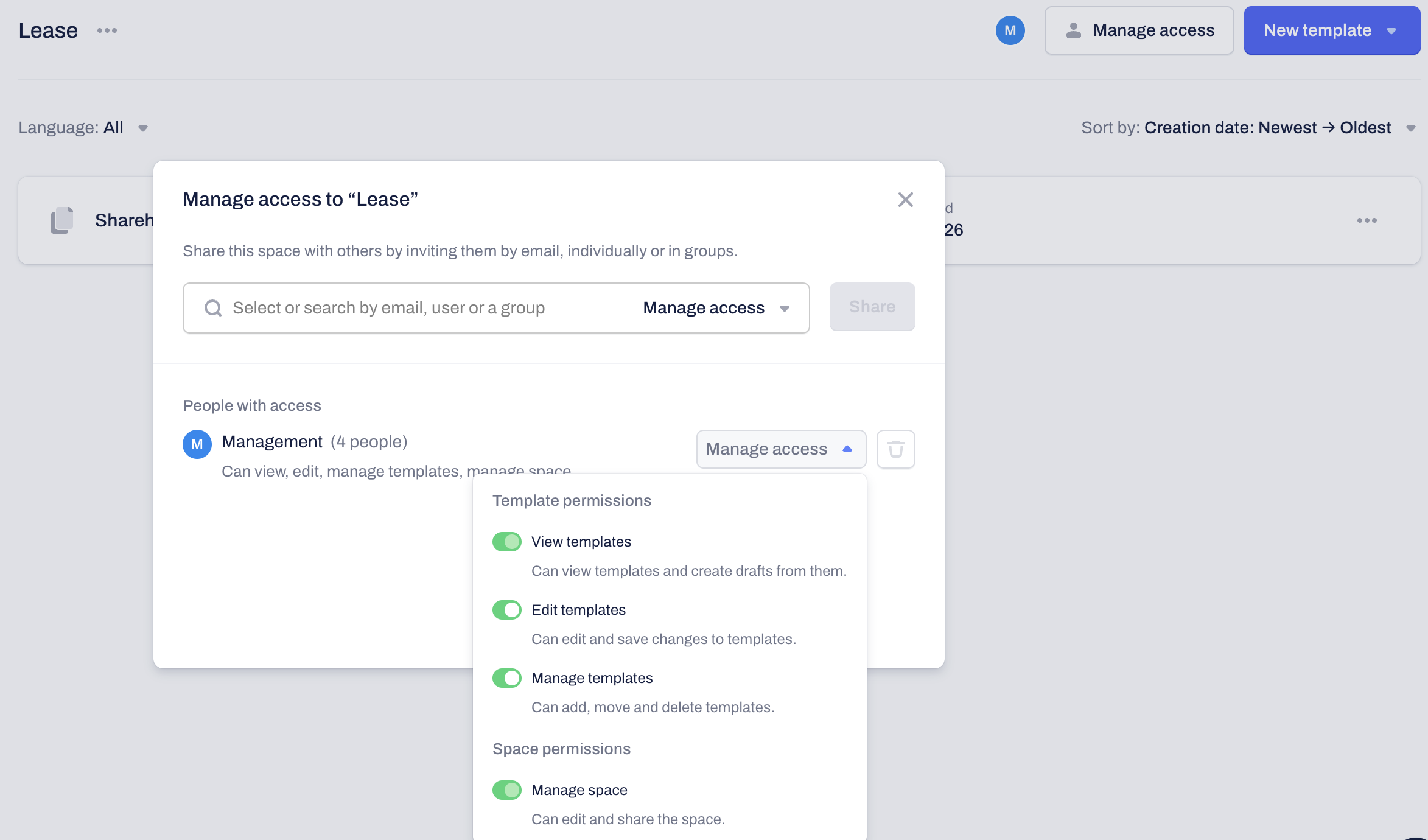
- View templates: Can view templates and create drafts from them.
- Edit templates: Can edit and save changes to templates.
- Manage templates: Can add, move, and delete templates.
- Manage space: Can edit and share the Template space.
Frequently asked questions:
- Can I change a group's permission level later?: Yes. You can return to the "Manage Access" settings of any Space and adjust the permission level for the entire group at once.
Deleting members of user groups: You can remove existing company users from the User Group they are assigned to from the "Manage members" option within the User Groups menu:
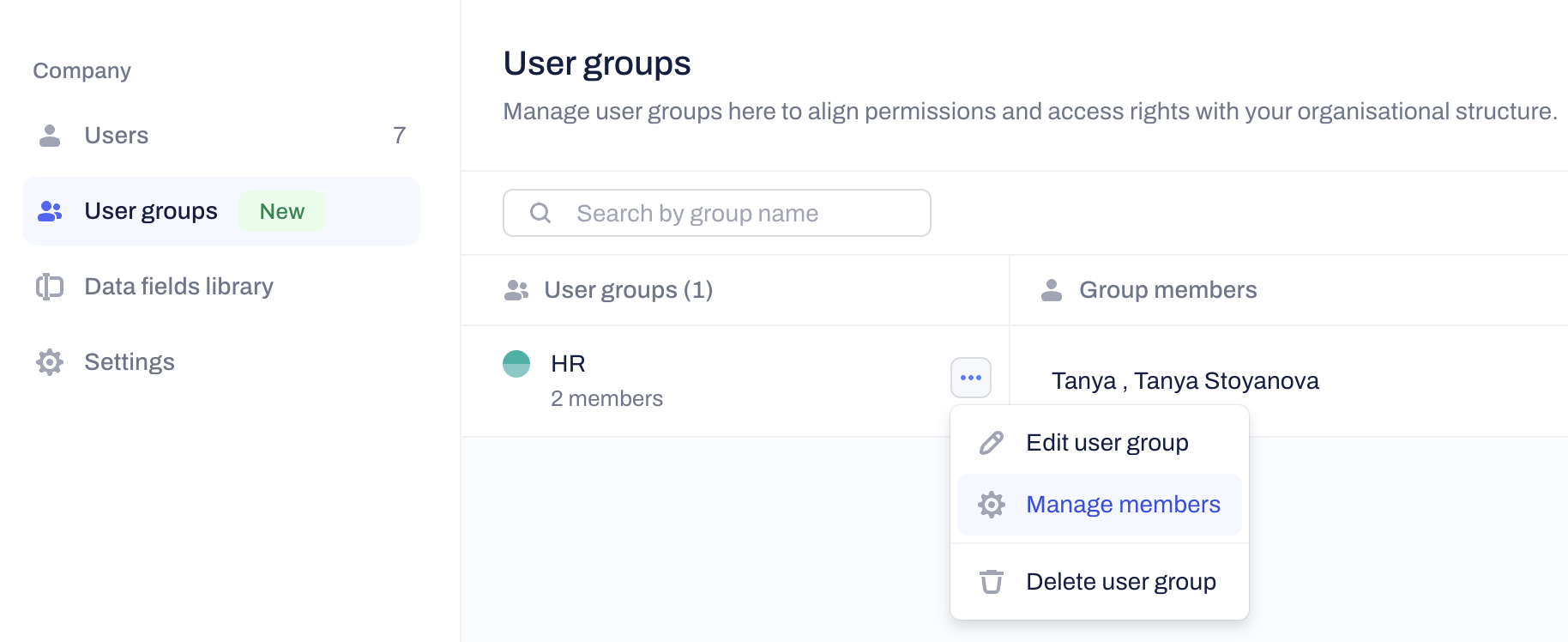
What happens if I remove someone from a User Group? If a user is removed from a group, they will lose any access granted through the User group permissions menu. If you have added the same user to a specific Contract or Template Space, their access rights to that Space will remain unchanged.
Related Articles
Was this article helpful?
That’s Great!
Thank you for your feedback
Sorry! We couldn't be helpful
Thank you for your feedback
Feedback sent
We appreciate your effort and will try to fix the article